There's a particular kind of frustration that every first-time entrepreneur knows intimately. You've got the business idea. You've mapped out the plan. You've maybe even registered the domain name. And then you hit the logo wall. You need something professional — something that doesn't look like it was thrown together in Paint — but shelling out ₹30,000 to ₹50,000 for a freelance designer feels absurd when you haven't even made your first sale yet.
I've been in that exact spot more times than I'd like to admit. And after cycling through dozens of free logo generators that produce designs your cousin wouldn't even put on a school project, I stumbled onto Looka. I've now used it to brand three different projects, and I have a very clear picture of what it does well, where it stumbles, and who should actually consider using it. This is that honest breakdown.
What Is Looka and Why Should You Care?
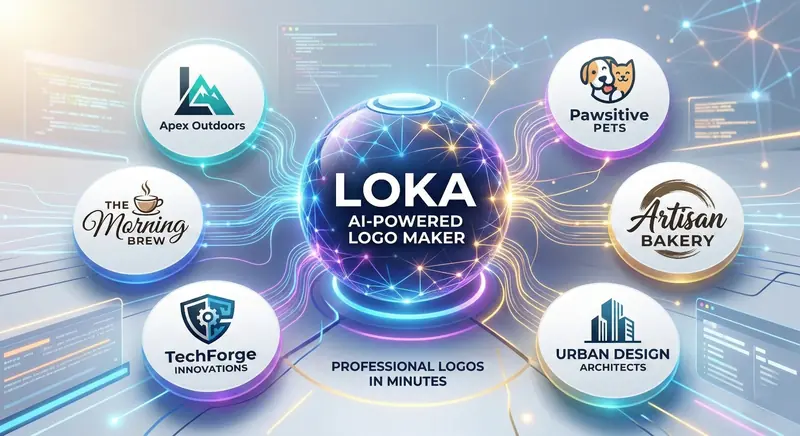
Looka — available at looka.com — is an AI-powered logo and brand identity platform. You tell it about your business, pick some style preferences, and the AI generates hundreds of unique logo concepts within seconds. Not templates you've seen on every other website. Actual unique combinations of icons, typography, colours, and layouts that are tailored to your specific inputs.
But calling it just a logo maker sells it short. Looka has evolved into something closer to a full brand identity tool. Once you've got a logo you like, the platform can generate business cards, social media kits, email signatures, brand guidelines, and even website mockups — all styled consistently around your chosen design. For solopreneurs and small business owners who need a complete brand package without hiring an agency, that's genuinely powerful.
The platform has been around since 2016 (it was originally called Logojoy), but the 2025 and 2026 updates have dramatically improved the AI's design sense. The logos coming out of Looka today are noticeably better than what the same platform produced even two years ago. And considering how many businesses are launching in India right now — we're talking about millions of new MSMEs, D2C brands, and freelance ventures every year — affordable branding tools have never been more relevant.
How Looka Actually Works — Step by Step
I'm going to walk through the exact process because, frankly, it's one of the smoothest onboarding flows I've experienced in any design tool. There's no account creation required to start designing, which is a smart move — you only need to sign up when you're ready to buy.
Step 1: Enter Your Business Name
You start by typing your business or brand name. Looka also asks for an optional tagline if you have one. The name is the anchor of everything that follows, so make sure you've finalised it before you begin. If you're still deciding between names, you could actually run through the process multiple times with different names to see which one looks best as a logo — it's free up to the download stage.
Step 2: Pick Your Industry
Looka has a massive library of industry categories — everything from "Technology & Startups" to "Health & Wellness" to "Food & Beverage" to "Education & Training." This isn't just a label. The industry you pick directly influences which icon styles, colour palettes, and font families the AI prioritises. A logo suggestion for a law firm looks fundamentally different from one for a children's toy brand, and this is where that differentiation starts.
Step 3: Choose Logo Styles You Like
Here's where it gets fun. Looka shows you a grid of example logos in different styles and asks you to pick the ones that appeal to you. Bold and modern? Elegant and minimal? Playful and colourful? Hand-drawn and organic? Your selections train the AI's design preferences for your specific session. I found that picking three to five styles gave the best results — too few and the output feels narrow, too many and it loses focus.
Step 4: Select Colours
You can pick a specific colour palette or let Looka suggest one based on your industry and style preferences. The colour psychology here is actually decent — the AI understands that a fintech startup shouldn't have pink and yellow unless you're deliberately being playful, and that an organic food brand probably works better with earth tones. You can always override these later in the editor, but starting with the right palette saves time.
Step 5: Pick Symbols and Icons
Looka searches its icon database based on keywords you enter. Type "mountain" and you get dozens of mountain icons in different styles. Type "code" and you get brackets, terminals, binary patterns. The library is extensive — I've never searched for something and come up empty. You pick one to five icons that represent your brand, and the AI uses them as the visual foundation for your logos.
Step 6: Review Hundreds of AI-Generated Logos
This is the payoff. Within about ten seconds, Looka generates a scrollable gallery of logo concepts — typically between 50 and 200 unique designs. Each one combines your chosen name, tagline, colours, icons, and fonts in different arrangements. Some are icon-heavy, some are text-focused, some are circular badges, some are clean wordmarks. The variety is genuinely impressive.
The Quality Question — Are Looka Logos Actually Good?
This is the part that matters, and it's where most AI logo tool reviews get lazy. They show you one example, say "looks great," and move on. I ran Looka through five different business concepts across different industries to properly test the design quality. Here's what I found.
The Wins
Typography is excellent. Looka's font pairing game is strong — genuinely strong. The AI doesn't just slap random fonts together. It pairs display fonts with complementary body fonts, matches font weights to the overall design mood, and adjusts letter spacing intelligently. I've seen freelance designers on Fiverr produce worse typography than what Looka generates automatically.
Colour harmony is solid. Every generated palette follows proper colour theory principles. Complementary colours, analogous combinations, proper contrast ratios — it's all there. The logos look professional partly because the colour choices aren't random. This is something most free logo makers absolutely butcher, and Looka handles it well.
Layout variety is impressive. You get horizontal layouts, stacked layouts, icon-only marks, text-only wordmarks, badge-style enclosures, and minimal monogram options. This matters because different contexts need different layouts — your website header needs a horizontal logo, but your app icon needs a square one. Looka gives you both from the same design session.
The Limitations
Custom illustration isn't possible. Looka works from a library of pre-designed icons. It can't create a completely custom illustration of your unique mascot or a hand-drawn emblem that nobody else has. If your brand identity depends on a one-of-a-kind visual element, you'll still need a human illustrator for that particular piece.
Some combinations feel template-ish. If you've spent time on Product Hunt or browsing startup directories, you'll recognise certain icon styles that appear frequently in Looka logos. They're not identical to anyone else's logo — the combinations are unique — but the individual icons themselves are shared resources. For most businesses, this is completely fine. For a design agency or a brand that competes on visual identity, it might not be enough.
Complex concepts need manual refinement. If your brand spans multiple ideas — say, technology plus sustainability plus community — Looka sometimes struggles to represent all three in a single logo. It tends to lean heavily on one concept and underrepresent the others. The solution is usually to pick the most important visual theme and let the others come through in your brand messaging instead.
The Brand Kit — Where Looka Really Earns Its Keep
If the logo maker is Looka's headline feature, the Brand Kit is its secret weapon. And honestly, for most small businesses, the Brand Kit alone justifies the subscription cost.
Here's what you get beyond just the logo:
- Business Cards: Multiple professionally designed templates with your logo, brand colours, and contact information. Ready to send to a printer or order through an integrated printing service.
- Social Media Kit: Profile pictures, cover photos, and post templates pre-sized for every major platform — Instagram, Facebook, LinkedIn, X (Twitter), YouTube. No more guessing pixel dimensions or cropping your logo awkwardly.
- Brand Guidelines: An automatically generated PDF that documents your brand's colour codes (HEX, RGB, CMYK), font families, logo usage rules, and spacing guidelines. This is the kind of document that branding agencies charge ₹20,000 to ₹50,000 to create.
- Email Signatures: HTML email signatures with your logo and brand colours that you can plug directly into Gmail, Outlook, or any other email client.
- Website Themes: Basic website mockups showing how your brand would look on a landing page. These aren't functional websites, but they're useful for visualising the brand direction before you build the actual site.
What makes the Brand Kit genuinely valuable is consistency. Every asset uses the same colours, same fonts, same proportions. For someone who isn't a designer, maintaining visual consistency across twenty different assets is incredibly difficult to do manually. Looka handles it automatically, and the result looks like a cohesive brand rather than a collection of random files.
Looka Pricing — What You're Actually Paying For
Let's talk money, because this is where people usually get confused. Looka's pricing has two distinct paths:
One-Time Logo Purchases
- Basic Logo Package (~$20 / ₹1,700): One logo design with PNG files. Good enough for simple online use — website, social media profiles, digital documents.
- Premium Logo Package (~$65 / ₹5,500): Everything in Basic plus SVG and EPS vector files, multiple colour variations, and a transparent background version. This is what you need if you're getting anything printed — business cards, banners, merchandise.
Brand Kit Subscription
- Brand Kit (~$96/year / ₹8,000/year): Full logo files plus the complete brand kit — business cards, social media templates, brand guidelines, and ongoing access to edit and re-download everything. This is the plan that makes sense for anyone building a serious brand.
Compared to alternatives: a freelance logo designer on Fiverr or 99designs will run you ₹5,000 to ₹50,000+ depending on quality. A branding agency starts at ₹1,00,000. A DIY tool like Canva gives you more creative freedom but no AI-generated logo concepts. Looka sits in a sweet spot — more polished and intelligent than free tools, dramatically cheaper than hiring a human, and faster than all of them.
Who Should Use Looka — And Who Shouldn't
After building brands with Looka across different contexts, I've got a clear picture of where it makes sense and where it doesn't.
Looka Is Perfect For
- First-Time Entrepreneurs: If you're launching your first business and need a professional logo without blowing your startup budget, Looka delivers exactly what you need. The quality is good enough for real business use, and the speed means you're not waiting two weeks for a designer's revision cycle.
- Freelancers and Consultants: Personal brands need visual identities too. A clean, professional logo for your consulting practice, freelance portfolio, or coaching business takes about ten minutes on Looka. Pair it with the Brand Kit for instant credibility.
- Side Projects and MVPs: Testing a new product idea? Don't spend money on branding until you've validated the concept. Looka lets you create a professional-looking brand for cheap, test the market, and invest in custom design only after you know the business has legs.
- Small Businesses in India: Local shops, restaurants, coaching centres, and service providers — the kind of businesses that need a clean logo for their signage, Google Business Profile, and WhatsApp Business account but don't need a full brand strategy. Looka nails this use case.
- Content Creators: YouTube channels, podcasts, newsletters, and blogs all benefit from a recognisable visual identity. Looka's social media kit is especially useful here because it gives you platform-ready assets immediately.
Looka Isn't Ideal For
- Established Brands Doing a Refresh: If your brand already has equity and recognition, a rebrand needs strategic thinking that AI can't provide. You need a designer who understands your customers, your market position, and what your current logo communicates. That's a human conversation, not an algorithm.
- Luxury or High-Fashion Brands: The premium end of branding requires bespoke craftsmanship — custom lettering, hand-drawn elements, painstaking kerning adjustments. Looka is good, but it's not couture-level. High-end brands invest in design because the logo itself is a signal of exclusivity.
- Businesses That Need a Mascot: If your brand identity revolves around a character — think Amul Girl, Duolingo's owl, or KFC's Colonel Sanders — you need custom illustration. Looka's icon library is extensive but it doesn't create original characters.
Looka vs. the Competition in 2026
The AI branding space is getting crowded, so how does Looka stack up?
Looka vs. Canva Logo Maker: Canva gives you more manual control — you're essentially designing from scratch with templates. Looka is better if you want the AI to do the creative heavy lifting. Canva is better if you already have a design vision and just need a tool to execute it. For people who don't have design instincts, Looka produces better results because the AI makes the aesthetic decisions for you.
Looka vs. Hatchful by Shopify: Hatchful is completely free but the quality is noticeably lower. The icon library is smaller, the font choices are limited, and the outputs feel more generic. If budget is genuinely zero, Hatchful works. But the jump from Hatchful to Looka in terms of quality is significant, and it's worth the investment for any real business.
Looka vs. Brandmark: Brandmark is Looka's closest competitor. Both use AI, both produce similar quality logos, and both offer brand kits. Brandmark's interface feels slightly more design-focused, while Looka's is more beginner-friendly. The pricing is comparable. Honestly, try both with your business name and buy from whichever produces the design you prefer.
Looka vs. 99designs: 99designs connects you with human designers running a contest to brand your business. The quality ceiling is much higher, but so is the cost (starting at $299 / ₹25,000) and the timeline (typically 5-7 days). If your budget allows it and the brand matters strategically, 99designs gives you something more unique. If you need something professional fast and affordable, Looka wins.
Tips for Getting the Best Logo from Looka
After several rounds of experimentation, here's what I've learned about getting Looka to produce its best work:
- Be Specific with Your Industry: Don't just pick "Technology." If you're building a SaaS product for HR teams, say so. The more specific your industry selection, the more relevant the icon and style suggestions become.
- Pick Fewer Styles, Not More: Choosing two or three clear style preferences produces more focused results than selecting six. The AI performs better when it has a clear direction rather than trying to blend too many aesthetics.
- Try Multiple Icon Keywords: Your first keyword might not surface the best icon. A "health" app might find better icons under "leaf," "heart," or "wellness" than under "health" itself. Experiment with related terms.
- Use the Editor Aggressively: The initial AI generation is your starting point, not your final product. Looka's built-in editor lets you swap fonts, adjust icon sizes, change layouts, and tweak colours. Spend ten minutes in the editor and you'll often turn a "pretty good" logo into an "exactly right" one.
- Generate Multiple Sessions: You're not limited to one design session. Try different style preferences, different colour palettes, and different icons across multiple sessions. Compare the best logos from each session and pick the winner.
- Test Your Logo at Small Sizes: A logo that looks great at full size might become unreadable as a favicon or app icon. Looka lets you preview at different sizes — use this feature. If the logo doesn't work at 32x32 pixels, you'll have problems.
Real Talk — What I Actually Built with Looka
I used Looka to brand a personal finance newsletter targeting young professionals in India. The name was "MoneyMint" and my input parameters were: fintech industry, modern and clean style preference, green and dark blue colour palette, and icons related to coins and growth.
Within fifteen seconds, I had about 120 logo options. Maybe 15 of them caught my eye immediately. I shortlisted three, spent about ten minutes in the editor adjusting font weights and icon proportions, and had my final logo. Then I generated the full Brand Kit — social media assets for Instagram and LinkedIn, email signature, and brand guidelines PDF.
Total time from opening Looka to having a complete brand package: about 35 minutes. Total cost: $96 for the annual Brand Kit subscription. The same deliverables from a freelance designer would have taken ten days and cost at minimum ₹20,000 to ₹30,000. For a newsletter that was still in the validation phase, Looka was the obviously right choice.
Three months later, the newsletter has 4,000 subscribers and the branding still works. Nobody has ever commented that the logo looks "AI-generated" or "cheap." It just looks like... a logo. A clean, professional, forgettable-in-the-right-way logo that lets the content speak for itself. And that's exactly what good branding for a content business should do.
The Bigger Picture — AI Is Democratising Design
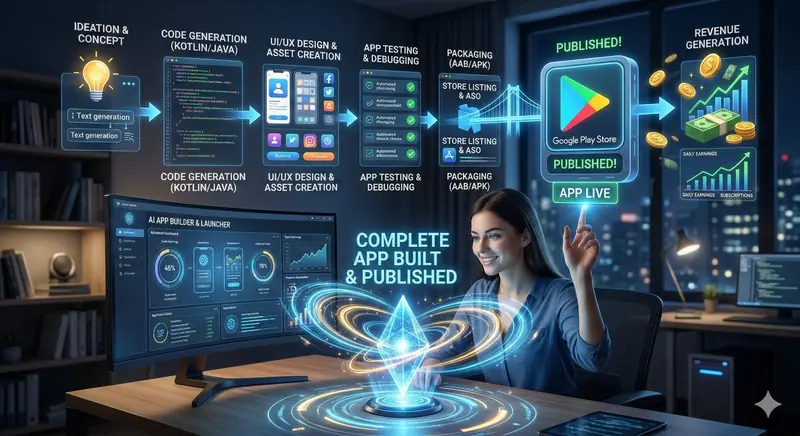
Looka is part of a much larger shift that's happening across every creative industry right now. The same way Rork lets you build apps without coding and PromptBase lets you monetise AI prompts, Looka lets you create professional branding without being a designer. The barrier to starting a business has never been lower.
Five years ago, building a professional-looking brand required at least three freelancers — a logo designer, a social media graphic designer, and a brand strategist. Today, a single person with a laptop and a Looka subscription can produce 80% of what those three people would deliver, in 1% of the time. The remaining 20% — the truly creative, strategically nuanced work — still belongs to human designers. But for the vast majority of businesses, especially in their early stages, that 80% is more than enough to get started and start growing.
This isn't about AI replacing designers. It's about AI removing design as a blocker for entrepreneurs who can't afford professional services yet. The businesses that succeed with Looka logos will eventually graduate to custom branding when they can afford it. And that's perfectly fine. Not every logo needs to be a masterpiece. Most just need to be professional, recognisable, and consistent.
Final Verdict — Is Looka Worth It in 2026?
After using Looka across multiple projects, comparing it against competitors, and testing its output in real-world scenarios, here's my straightforward take:
If you need a professional logo and basic brand identity, and you're working with a limited budget and timeline, Looka is the best AI logo maker available right now. The design quality is genuinely good — not perfect, not bespoke, but solidly professional. The Brand Kit feature adds enormous value for early-stage businesses. And the entire experience, from first click to final download, takes less than an hour.
It won't replace a talented human designer for brands that need custom, hand-crafted visual identities. But for the millions of entrepreneurs, freelancers, content creators, and small business owners who need a clean logo without the five-figure price tag? Looka delivers. And it delivers fast.
"Your brand doesn't need to be perfect on day one. It needs to exist. Looka gets you from zero to branded faster than anything else out there — and that head start matters more than most people realise."
Stop overthinking your logo. Go to looka.com, type in your business name, and see what comes out. You might be surprised how good "AI-designed" looks when the AI actually knows what it's doing.