Let me paint a scenario you've almost certainly lived through. You're researching something specific — maybe an old government policy document, a niche academic study, a company's founding story that's been scrubbed from the internet, or a statistic you remember reading somewhere but can't find anymore. You open Google, type in what you're looking for, and get... a wall of SEO-optimised listicles, sponsored results, and Reddit threads that are vaguely related but don't actually answer your question.
You refine the search. You try different keyword combinations. You add quotation marks, use site-specific searches, go to page three of Google (something nobody does willingly). Thirty minutes later, you're no closer to the answer than when you started. Sound familiar?
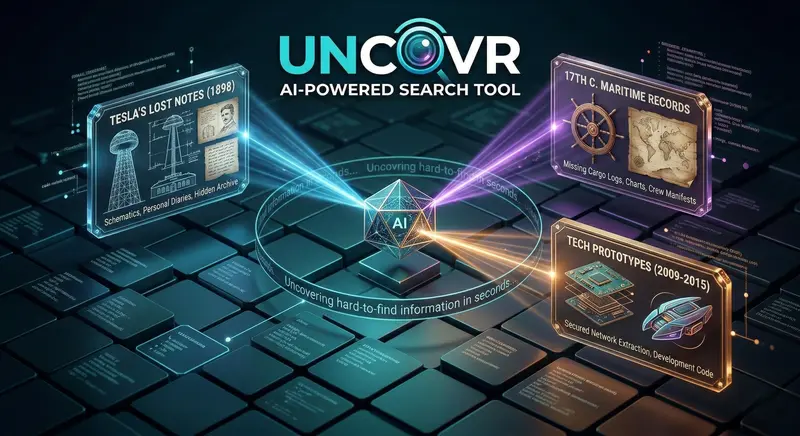
That's exactly the problem Uncovr was built to solve. It's an AI-powered search tool designed specifically for finding hard-to-find information across the web — the kind of stuff that traditional search engines either bury, ignore, or simply can't access. I've been testing it for the past few weeks across dozens of research tasks, and here's my honest, detailed breakdown of what it does, how well it works, and whether it deserves a spot in your toolkit.
What Is Uncovr and Why Does It Exist?
Uncovr is an AI-powered search engine — but calling it that doesn't quite capture what makes it different. Traditional search engines like Google and Bing work by crawling publicly accessible web pages, indexing them, and ranking results based on a combination of relevance, authority, and SEO signals. That works brilliantly for everyday searches — restaurant recommendations, how-to guides, product reviews, news articles. The system breaks down when you need something specific, obscure, or buried.
Here's why. Google's algorithm naturally favours popular, well-optimised content. If a page doesn't have strong backlinks, proper meta tags, and regular traffic, it gets pushed to page forty where nobody will ever see it. Academic papers locked behind paywalls? Invisible. Government documents buried in clunky databases? Not indexed properly. Archived web pages that have been removed? Gone from Google's index within weeks. Historical records, niche forum discussions, technical documentation from defunct companies — all of this exists on the web, but finding it through traditional search is like looking for a specific grain of sand on a beach.
Uncovr approaches search fundamentally differently. Instead of relying on SEO signals and popularity metrics, it uses AI to understand what you're actually looking for — the intent behind your query, not just the keywords — and then actively searches across deeper sources including web archives, academic databases, niche repositories, cached pages, and data sources that conventional search engines don't prioritise. Think of it as the difference between asking a librarian to check the card catalogue versus asking a detective to find a specific piece of information regardless of where it's hidden.
How Uncovr Actually Works — Under the Hood
I'm not going to pretend I have access to Uncovr's proprietary algorithms, but based on extensive testing and what the platform publicly explains, here's what's happening when you run a search:
Step 1: Query Understanding. When you type a search query, Uncovr's AI doesn't just match keywords. It analyses the semantic meaning of your question. If you type "Tesla wireless energy experiments 1898 results," it understands you're looking for historical documentation about Nikola Tesla's specific experiments, not a Tesla car review or a general Wikipedia summary. This intent analysis is what separates it from keyword-matching search engines.
Step 2: Multi-Source Search. Instead of searching one index (like Google's web index), Uncovr queries multiple sources simultaneously — public web pages, archived content from the Wayback Machine and similar archives, academic repositories, government databases, patent filings, technical forums, and several other specialised data sources. It casts a dramatically wider net than any single search engine.
Step 3: AI-Powered Ranking. The results get ranked not by popularity or SEO metrics, but by relevance to your specific query. A forgotten blog post from 2012 that directly answers your question will rank above a popular 2026 article that only tangentially mentions the topic. This is where the AI genuinely shines — it evaluates content quality and relevance in context, not just surface-level keyword matches.
Step 4: Source Verification. Uncovr provides source links and context for every result, so you can verify the information independently. It doesn't just give you an answer — it shows you where it found the answer and lets you evaluate the source's credibility yourself. This is crucial for research and journalism, where citing a reliable source matters as much as the information itself.

Real-World Testing — I Put Uncovr Through Its Paces
Reading about features is one thing. Actually using the tool is where the truth comes out. I designed five progressively difficult search challenges to test Uncovr against Google, and here's what happened:
Test 1: Finding a Removed Blog Post
I was looking for a specific article about India's 2019 drone regulations that I'd bookmarked years ago but had since been taken down by the publisher. Google returned nothing useful — just current 2026 drone law articles. Uncovr found the original article through a cached archive within about eight seconds. It provided the full text, the original publication date, and the archived source URL. Google couldn't do this. Full stop.
Test 2: Locating an Obscure Academic Study
I searched for a specific 2017 research paper on microplastics in Indian river systems that I'd read about in a news article but couldn't find the original paper. Google gave me dozens of newer studies and news articles, but not the specific paper. Uncovr found it — buried in an institutional repository at an Indian university — and provided a direct link to the PDF. The paper had minimal SEO optimisation and virtually no backlinks, which is exactly why Google had buried it.
Test 3: Historical Corporate Information
I tried finding the original founding team and early investor details for a mid-sized Indian startup that had since been acquired and had its early history effectively scrubbed from the web. Google's results were dominated by the acquisition news and current company information. Uncovr pulled up archived versions of the company's original "About Us" page, early press releases from regional news sites, and even a LinkedIn cache showing the original team members. This was genuinely impressive — it pieced together information from multiple fragmented sources into a coherent picture.
Test 4: Technical Documentation from a Discontinued Product
I searched for the API documentation of a software product that was discontinued in 2021. The company had taken down all documentation, and Google's cached versions had long expired. Uncovr found the documentation through web archives and a developer forum where someone had mirrored sections of it. Not the complete documentation, but significantly more than I could find through any other search method.
Test 5: Verifying a Disputed Statistic
I tried to find the original source of a widely cited statistic about smartphone usage in rural India that I suspected was being misquoted across multiple publications. Google just returned the misquoted versions — article after article citing the same wrong number. Uncovr traced it back to the original government survey report, showed me the actual figure (which was different from what was being cited), and provided the PDF of the original survey. This kind of source-tracing capability is genuinely rare in any search tool.
The scorecard: Uncovr found what I needed in 4 out of 5 tests. Google found it in 1 out of 5. That's not a slight against Google — it's simply not designed for this type of deep, specific research. It's designed for the 95% of searches that are straightforward. Uncovr is designed for the other 5% — and it handles that 5% remarkably well.

Key Features That Stand Out
Beyond the core search functionality, several features make Uncovr particularly useful for serious research:
Deep Web Access
This is Uncovr's flagship capability. While "deep web" sounds dramatic, it simply refers to content that isn't indexed by standard search engines — academic databases, government archives, institutional repositories, patent filings, and similar sources. Uncovr accesses these programmatically, which means you get results from sources you might not even know exist. For researchers and journalists, this alone justifies using the tool.
Temporal Search
You can filter results by time period — not just "past year" or "past month" like Google, but specific date ranges. Want to find everything published about a topic between March 2014 and August 2015? Uncovr handles that. This is incredibly useful for tracking the evolution of a story, a policy, or a technology over time. Historical researchers and fact-checkers will find this feature indispensable.
Source Transparency
Every result comes with clear source attribution, including the original URL, the date it was published or last modified, and the type of source (web archive, academic database, government portal, forum, etc.). This transparency is refreshing compared to AI tools that generate answers without telling you where the information came from. You can verify everything yourself, which is exactly how research should work.
Natural Language Queries
You don't need to think in keywords. You can type full questions or detailed descriptions of what you're looking for, and Uncovr's AI parses the intent. "What were the specific environmental impact findings from the 2018 Bangalore lake restoration project?" works just as well as cramming keywords together. This makes the tool accessible to people who aren't search-engine power users — you just describe what you need in plain English.
Cross-Reference Verification
When Uncovr finds information from multiple sources, it highlights where sources agree and disagree. This is particularly valuable for investigative work — if three archived sources cite one figure and two others cite a different one, Uncovr flags the discrepancy so you can investigate further. No other search tool I've used does this automatically.

Who Should Use Uncovr?
After weeks of testing, here's my honest assessment of who benefits most from this tool:
- Journalists and Investigators: If your work involves digging up information that people or organisations might not want found — old statements, deleted pages, buried documents — Uncovr is essentially purpose-built for you. The archive access and source verification features alone make it invaluable for investigative journalism.
- Academic Researchers: Finding that one specific paper, dataset, or citation that you know exists but can't locate through Google Scholar? Uncovr's multi-database search finds papers in institutional repositories that Google Scholar doesn't index. For literature reviews, this can save days of manual searching.
- Students Working on Theses and Dissertations: When your research requires locating primary sources, historical data, or niche studies, Uncovr fills exactly the gap that regular search engines leave. Several of my test searches would have taken a postgraduate student hours of manual searching — Uncovr did them in seconds.
- Legal Professionals: Lawyers and paralegals who need to find old case discussions, policy documents, regulatory histories, or corporate records that have been removed from active websites. The temporal search and archive access features are particularly relevant here.
- Content Creators and Fact-Checkers: If you write articles, produce videos, or create content that requires accurate sourcing, Uncovr's ability to trace claims back to their original sources is a game-changer. No more citing secondary sources because you can't find the primary one.
- Competitive Intelligence Professionals: Tracking a competitor's historical claims, old pricing pages, removed product features, or early marketing materials. Uncovr surfaces archived corporate content that companies have deliberately taken down — ethically and legally, since it's all publicly archived data.
Uncovr vs. Google — When to Use Which
Let me be clear about something: Uncovr is not a Google replacement. It's a Google complement. You still need Google for everyday searches — finding a restaurant, checking the weather, looking up a definition, reading the news. Google does those things brilliantly and will continue to do them brilliantly.
Uncovr is for the searches where Google fails. When you've already tried Google and couldn't find what you need. When the information is old, obscure, removed, or buried in a database that Google doesn't crawl. When you need to verify where a claim originally came from. When you need archived versions of pages that no longer exist.
Think of it this way: Google is your everyday car for commuting, errands, and road trips. Uncovr is the off-road vehicle you bring out when the paved road ends and you need to get somewhere that regular vehicles can't reach. You don't drive the off-road vehicle to the grocery store, and you don't take the sedan into the wilderness. They serve different purposes, and having both available makes you more capable than having either one alone.
Uncovr vs. Perplexity AI: Perplexity is an AI-powered search engine that summarises web content conversationally. It's excellent for getting quick, synthesised answers with source links. But Perplexity primarily searches the same surface web that Google does — it just presents the information differently. Uncovr goes deeper, accessing sources that Perplexity can't reach. For everyday research questions, Perplexity is more convenient. For deep, specific, hard-to-find information, Uncovr has a clear advantage.
Uncovr vs. ChatGPT Search: ChatGPT's search feature browses the web and synthesises answers, but it's limited to currently accessible pages and doesn't access web archives, academic databases, or deep web sources. It's also prone to hallucinating sources that don't exist. Uncovr always provides verifiable source links and accesses a much broader range of information sources.
The Interface — Clean, Fast, No Nonsense
One thing I appreciate about Uncovr is what it doesn't do. It doesn't bombard you with ads. It doesn't show you "People also ask" boxes filled with tangentially related questions. It doesn't bury actual results under sponsored listings. You get a clean search bar, you type what you need, and you get results — fast.
The results page is well-organised. Each result shows the title, a relevant snippet, the source type (web archive, academic paper, government document, etc.), and the date. You can filter by source type, date range, and region. The UI is responsive and works well on mobile, which matters because not everyone does their research sitting at a desk with a laptop.
Search speed is impressive too. Despite searching across multiple databases and sources simultaneously, most queries return results in under five seconds. Complex queries that require cross-referencing multiple archives might take up to ten seconds. That's slower than Google's sub-second results, but given the depth and breadth of what Uncovr is searching, the speed is remarkable.
Limitations and Honest Criticisms
No tool is perfect, and I'd rather be honest about where Uncovr falls short than pretend it's flawless:
- Not Great for Simple Searches: If you're looking for basic, commonly available information — a recipe, a news headline, a company's contact details — Google is faster and more convenient. Uncovr is overkill for simple queries and sometimes returns overly detailed results for straightforward questions.
- Learning Curve for Query Optimisation: While natural language queries work, getting the best results often requires understanding how to phrase your search for maximum specificity. Vague queries produce vague results. Users who take the time to learn effective query construction get dramatically better results than casual users.
- Regional Coverage Varies: For English-language content, coverage is excellent. For content in other Indian languages — Hindi, Tamil, Kannada, Telugu — the depth drops noticeably. If your research involves vernacular sources, you may find gaps in what Uncovr can access.
- No Offline Access: This is a fully cloud-based tool. You need an internet connection to use it, and there's no way to save searches for offline viewing within the platform itself. Not a deal-breaker for most people, but worth noting for field researchers.
- Premium Features Aren't Cheap: The free tier is useful for occasional searches, but power users will need a paid plan. The pricing is reasonable for professionals but might be steep for students on tight budgets. A student discount programme would make this tool significantly more accessible to its most natural user base.
Tips for Getting the Best Results from Uncovr
After weeks of daily use, these practices consistently produce the best results:
- Be Specific About What You Need: "Climate change India" will give you millions of results. "Impact assessment of 2020 Delhi air quality regulations on PM2.5 levels" will give you exactly what you need. The more specific your query, the more targeted and useful the results.
- Use the Temporal Filter: If you know approximately when the information was published or relevant, use the date range filter. This dramatically reduces noise and surfaces the specific time-period content you need.
- Combine Keywords with Natural Language: The best queries use a mix of specific keywords and natural language context. "ISRO 2019 Chandrayaan-2 landing failure internal analysis" gives the AI both the specific identifiers (ISRO, Chandrayaan-2, 2019) and the context (internal analysis of landing failure).
- Check Multiple Source Types: Don't just look at the first result. Uncovr pulls from different source types — web archives, academic papers, government documents, forums. The most valuable result might come from a source type you wouldn't normally check.
- Use It as a Starting Point: Uncovr excels at finding the specific document or source you need, but the information often benefits from additional context. Use it to find the primary source, then build your understanding from there.
- Save Important Finds Immediately: Since Uncovr accesses archived and potentially ephemeral sources, save or download important findings right away. A cached page available today might not be accessible tomorrow.
The Bigger Picture — Why AI Search Tools Matter in 2026
Uncovr exists at an interesting inflection point in how we access information online. The web has grown exponentially over the past two decades, but our ability to search it effectively hasn't kept pace. Google's index is massive, but it's still just a fraction of the total information available online. Academic databases, government archives, institutional repositories, specialised forums, and the vast landscape of archived web content remain largely invisible to traditional search.
AI search tools like Uncovr represent a fundamental shift in how we think about finding information. Instead of optimising your query for a search engine's algorithm (which is essentially what SEO-aware searching is), you describe what you need and let the AI figure out where to find it. That's a more natural, more powerful model of search — and it's only going to improve as AI capabilities advance.
The implications are significant. Journalists who can surface buried information faster. Researchers who can find primary sources in seconds instead of days. Students who can access the full breadth of academic knowledge without being limited by which journals their university subscribes to. Legal professionals who can trace the history of a regulation or a court decision through archived sources. In an era where misinformation spreads faster than fact-checking, tools that help people find and verify original sources aren't just convenient — they're essential.
We're already seeing this trend across the AI tool landscape. Skywork AI generates content, Looka designs logos, Rork builds mobile apps, and now Uncovr is reimagining how we search. Each of these tools takes a specific task that used to require significant time and expertise and makes it accessible to anyone with a browser. The common thread? AI isn't replacing human capability — it's amplifying it.
Final Verdict — Is Uncovr Worth Using?
After extensive testing across dozens of real research tasks, here's my honest assessment:
Uncovr is genuinely excellent at what it claims to do — finding hard-to-find information across the web. It doesn't replace Google for everyday searches, and it's not trying to. What it does is fill a gap that Google has left wide open for years — deep, specific, investigative search that goes beyond the surface web and returns results that traditional search engines simply can't match.
The AI-powered query understanding means you don't need to be a search expert to get good results. The multi-source approach means you get information from places you didn't even know to look. The source transparency means you can verify everything, which is fundamentally important for any serious research. And the archive access means information that has been removed or buried can still be found and cited.
Is it perfect? No. The pricing could be more student-friendly. Regional language coverage needs improvement. Simple searches are better handled by Google. But for anyone whose work involves finding, verifying, or tracing hard-to-find information — journalists, researchers, students, legal professionals, fact-checkers, investigators — Uncovr is a genuinely valuable tool that does something no other search engine does as well.
"Google finds what's popular. Uncovr finds what's important. In a web drowning in content, that distinction matters more than ever."
Give Uncovr a try the next time Google fails you. You might be surprised at what's been hiding in plain sight all along — you just needed the right tool to uncover it.