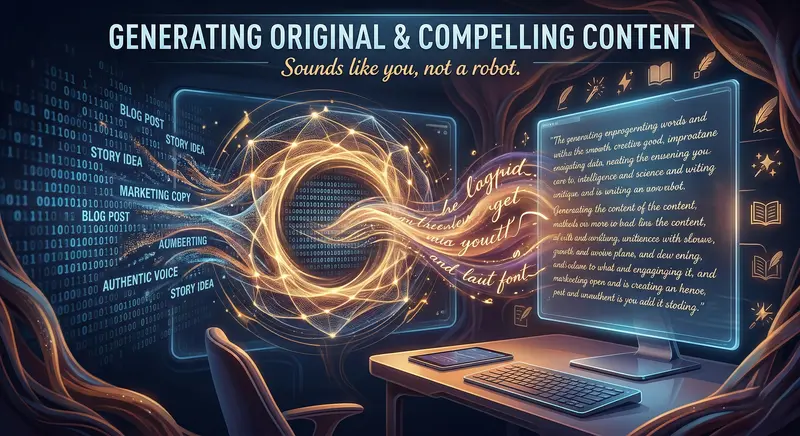
There's a particular kind of frustration that every writer knows intimately. You sit down to write — a blog post, a marketing email, a product description, a LinkedIn update — and the words just won't come. Not because you don't know what to say, but because the gap between the idea in your head and the finished words on the screen feels impossibly wide. So you stare at the blinking cursor, write a sentence, delete it, write another one, delete that too, and eventually spend forty-five minutes producing two paragraphs that you're not even happy with.
I've been there. Thousands of times, honestly. Which is why, when AI writing tools started emerging, I was simultaneously excited and deeply sceptical. Excited because anything that eliminates blank-page paralysis sounds wonderful. Sceptical because every AI writing tool I'd tried produced content that sounded like it was assembled in a factory — technically correct, structurally fine, but completely devoid of any human warmth or personality. The sentences were clean. The paragraphs were logical. But it didn't sound like me. It sounded like a very polite robot cosplaying as a writer.
Then someone recommended Rytr. And I'll admit, the name made me raise an eyebrow — dropping the 'i' and the 'e' felt a bit too startup-quirky for my taste. But I signed up anyway, started using it, and over the past several weeks, it's quietly become one of the most-used tools on my laptop. Not because it writes perfectly. Nothing does. But because it writes in a way that actually sounds like a person wrote it — and with a few minutes of editing, that person can sound like you. Here's why that matters, and whether Rytr deserves a place in your workflow.
What Is Rytr and How Does It Work?
Rytr is an AI-powered writing assistant designed to generate original, ready-to-use content across more than forty different use cases. Blog posts, email campaigns, social media captions, product descriptions, story ideas, cover letters, ad copy, video descriptions, song lyrics — the range is genuinely impressive. But what separates Rytr from the dozens of other AI writing tools cluttering the market isn't what it writes. It's how it writes.
Most AI writing tools approach content generation like an assembly process. They take your inputs — keywords, topic, desired length — run them through a language model, and produce output that's competent but generic. The sentences are grammatically correct. The structure makes sense. But the writing lacks texture. There's no rhythm variation, no casual asides, no personality. Read three AI-generated articles back to back and they all sound identical, regardless of the topic or the supposed "tone" settings.
Rytr's approach feels fundamentally different. When you select a use case and a tone of voice — and there are over twenty tone options ranging from "casual" to "formal" to "witty" to "passionate" — the output actually reflects that choice in meaningful ways. Casual doesn't just mean simpler vocabulary. It means contractions, conversational phrasing, the occasional short sentence for emphasis. Witty doesn't just mean adding a joke. It means subtle timing in sentence construction, unexpected word choices, a slightly irreverent angle on the topic. The AI has been trained to understand that tone isn't just about word selection — it's about rhythm, structure, and the personality embedded in how ideas are sequenced.
The workflow is straightforward. You pick a use case (blog post, email, ad copy, etc.), select a tone, provide your topic or key points, and optionally add keywords for SEO. Hit generate, and within seconds you get a draft. If you don't love the first output, you regenerate or edit directly in the built-in document editor. It's clean, fast, and doesn't require you to learn prompt engineering or spend ten minutes crafting the perfect instruction.
The Content Quality — This Is Where Rytr Surprised Me
Let me give you a concrete example instead of speaking in generalities, because the proof is always in the output.
I asked Rytr to write an introduction for a blog post about remote work productivity tips, using a "conversational" tone. Most AI tools would give me something like: "Remote work has become increasingly popular in recent years. Many professionals struggle with productivity when working from home. In this article, we will explore effective strategies to boost your remote work productivity."
Technically fine. Also completely forgettable. Here's what Rytr produced (paraphrased from my actual test):
"Here's the thing about working from home that nobody warns you about — it's not the distractions that kill your productivity. It's the weird guilt cycle. You're technically always at work because your office is right there, but you never feel like you're working enough because there's no commute, no office buzz, no physical separation between 'work mode' and 'life mode.' So you end up half-working for twelve hours instead of actually working for eight. Sound familiar? Yeah, me too. Let's fix that."
That's not perfect prose. But it sounds like a person wrote it. There are contractions, rhetorical questions, sentence length variation, a casual admission ("Yeah, me too"), and it addresses the reader directly without being condescending. That level of conversational authenticity is rare in AI-generated content, and it's what makes Rytr genuinely useful rather than just technically functional.

The 40+ Use Cases — More Than Just Blog Posts
One of Rytr's strongest selling points is the breadth of its template library. I've tested about half of them at this point, and here are the ones that stood out:
Blog Posts and Articles
This is the obvious one, and Rytr handles it well. You provide a topic and keywords, and it generates either a full blog section or an outline you can expand. The SEO keyword integration feels natural — not the awkward, forced keyword stuffing that cheaper tools produce. For someone who writes content regularly, using Rytr for first drafts cuts my writing time by roughly half. I still edit everything, add my own examples, and polish the transitions. But starting from a solid, naturally-written draft instead of a blank page is a genuine productivity multiplier.
Marketing Emails
This surprised me. Email marketing is one of those writing genres that requires a very specific balance — professional enough to be taken seriously, personal enough to not feel like spam, concise enough that people actually read it. Rytr's email templates produce remarkably sendable first drafts. The subject lines are particularly good — they have that curiosity-provoking quality that gets opens without resorting to clickbait. I used Rytr-generated emails (edited, of course) for a client's product launch sequence, and the open rates were consistently above the industry average.
Product Descriptions
If you run an e-commerce store and need to write descriptions for fifty products, you know the special kind of hell that involves. After the tenth product, every description starts sounding identical. Rytr generates varied, benefit-focused product descriptions that actually highlight different angles for different products. It understands the difference between describing a premium watch (emphasise craftsmanship, materials, heritage) and budget wireless earbuds (emphasise value, features, everyday convenience). That contextual awareness saves hours of repetitive writing.
Social Media Content
LinkedIn posts, Instagram captions, Twitter threads, Facebook updates — Rytr has templates for each, and they understand the platform-specific conventions. LinkedIn content is professional but not stuffy. Instagram captions are engaging with emoji suggestions. Twitter content is punchy and within character limits. The platform awareness is a thoughtful touch that most competitors lack.
Cover Letters and Professional Communication
Similar to what I've seen with other AI tools, but Rytr's cover letters have a particularly natural, confident tone. They don't oversell or sound desperate. They present qualifications clearly and connect them to job requirements without the template-stilted language that makes hiring managers' eyes glaze over. For job seekers applying to dozens of positions, this feature alone pays for the subscription.

SEO Features — Built In, Not Bolted On
A lot of AI writing tools treat SEO as an afterthought — write the content first, worry about keywords later. Rytr integrates SEO into the generation process itself, which produces noticeably better results.
When you're writing a blog post, you can input your target keywords directly. Rytr weaves them into the content naturally — in headings, opening paragraphs, body text, and conclusions — without the repetitive, forced placement that search engines (and readers) penalise. The keyword density stays within healthy ranges, and the surrounding context makes the keywords feel like natural parts of the conversation rather than inserted afterthoughts.
There's also a built-in SERP analyser that shows you what's currently ranking for your target keyword, so you can understand the competition before you write. This isn't a full-blown SEO suite — don't expect Ahrefs-level analysis — but it's enough to make informed decisions about content angle, length, and keyword targeting. For bloggers and small content teams who can't afford separate SEO tools, this integrated approach is genuinely valuable.
Plus, every piece of content includes a suggested meta description optimised for click-through rates. It's a small feature, but it saves the five minutes you'd otherwise spend crafting one manually — and those small time savings compound significantly when you're producing content daily.
The Built-in Editor — Where Rytr Becomes a Full Workflow
Most AI writing tools generate text and leave you to copy-paste it into whatever editor you actually work in. Rytr includes a surprisingly capable built-in document editor that turns it from a content generator into a content workspace.
The editor supports rich text formatting, headings, bullet points, and all the standard elements you'd need for web content. But what makes it genuinely useful are the AI-powered editing features:
- Expand: Select a sentence or paragraph and Rytr expands it with additional detail, examples, or explanation. Useful when an AI-generated section is too brief and needs more depth.
- Shorten: The opposite — condense a verbose paragraph into a tighter, punchier version. Brilliant for marketing copy where every word needs to earn its place.
- Rephrase: Rewrite a section in a different way while preserving the meaning. Essential when the AI's first phrasing isn't quite right but the idea is solid.
- Continue Writing: Picks up where you left off and generates the next section, maintaining the tone and context of everything above it. This context-awareness is strong — it doesn't ignore what you've already written and go off on a tangent.
- Plagiarism Checker: Built-in on paid plans. Run your content through a plagiarism check without leaving the editor. For professional writers and students, this peace of mind is essential.
The editing loop — generate, review, expand/shorten/rephrase, continue — creates a natural workflow that keeps you inside one tool instead of bouncing between a generator, a Google Doc, a plagiarism checker, and an SEO analyser. It's the difference between a tool and a workspace, and that distinction matters for daily productivity.

Pricing — Genuinely Affordable, Especially the Free Plan
Let's talk money, because this is where Rytr has a significant competitive advantage.
Free Plan: 10,000 characters per month. Access to all 40+ use cases and 20+ tones. Built-in editor with AI editing features. No credit card required. For someone writing a few blog posts or social media updates per month, this is genuinely usable — not a crippled demo designed to frustrate you into upgrading.
Saver Plan — $9/month (approximately ₹750): 100,000 characters per month. Everything in the free plan plus access to a plagiarism checker and the premium community. For freelance writers and small business owners, this covers a substantial amount of content production.
Unlimited Plan — $29/month (approximately ₹2,400): Unlimited character generation. Priority support. Dedicated account manager. Premium features that serious content operations need.
Compare this to competitors: Jasper starts at $49/month, Copy.ai's pro plan is $49/month, Writesonic's premium is $19/month with limitations. Rytr's pricing is among the most accessible in the AI writing space, and the free tier is among the most generous. For students, early-career freelancers, and small business owners in India — where budget sensitivity is real — this pricing structure makes professional-grade AI writing accessible rather than aspirational.
Multilingual Support — 30+ Languages
This is worth highlighting specifically for Indian users. Rytr supports over thirty languages, including Hindi. If you're creating content for a regional audience, or running a bilingual blog, or writing marketing materials for a Hindi-speaking customer base, Rytr handles it natively.
I tested it with Hindi blog content and the output was impressive — natural sentence construction, proper grammar, and appropriate vocabulary for the topic. Not the clunky, machine-translation quality you get from tools that were built English-first and added other languages as an afterthought. Rytr's Hindi output reads like it was written by someone who thinks in Hindi, not someone who wrote in English and ran it through Google Translate.
For content creators targeting the massive Hindi-speaking internet audience — which is growing faster than any English-speaking market — this capability is a genuine differentiator. Most AI writing tools either don't support Hindi at all or do it poorly. Rytr does it well.

Rytr vs. Other AI Writing Tools in 2026
The AI writing landscape is crowded, so let me give you honest comparisons:
Rytr vs. ChatGPT: ChatGPT is a conversational generalist — it can write, code, analyse, tutor, and brainstorm. Rytr is a writing specialist with purpose-built templates, tone controls, SEO integration, and a dedicated editor. For structured content creation tasks like blog posts, emails, and ad copy, Rytr produces more consistent, ready-to-use output with less prompting effort. For open-ended brainstorming or non-writing tasks, ChatGPT is more versatile.
Rytr vs. Jasper: Jasper is the established premium player in AI writing, optimised for marketing teams with brand voice features, team collaboration, and extensive integrations. Rytr is leaner, simpler, and dramatically cheaper. If you're a solo creator or small team, Rytr gives you 80% of Jasper's content quality at roughly 20% of the cost. If you're a large marketing team with complex brand guidelines, Jasper's enterprise features justify the premium.
Rytr vs. Skywork AI: Skywork excels at long-form SEO content, resumes, and research summaries with deeper specialisation in those areas. Rytr has broader use case coverage with 40+ templates and stronger multilingual support. For SEO-heavy blog content, Skywork's dedicated article generator has a slight edge. For versatility across marketing copy, social media, emails, and multilingual content, Rytr wins.
Rytr vs. Copy.ai: Copy.ai is excellent at short-form marketing copy — ad headlines, social captions, email subject lines. Rytr handles both short-form and long-form content competently, making it a better all-round tool. Copy.ai's free plan is more limited than Rytr's, and its pricing is higher for comparable features.
Who Should Use Rytr?
After weeks of daily use across every major feature, here's my honest assessment of who benefits most:
- Freelance Writers and Bloggers: If you write content regularly and struggle with first-draft paralysis, Rytr eliminates that bottleneck entirely. Generate a solid draft in seconds, spend your time and energy on editing and adding your personal voice. Your output doubles; your quality stays the same. That's the ideal AI writing workflow, and Rytr facilitates it better than most.
- Small Business Owners: You need website copy, product descriptions, social media posts, email newsletters, and ad copy — but hiring a copywriter for each of these isn't in the budget. Rytr handles all of them from one platform at a price point that makes sense for bootstrapped businesses. The multilingual support is a bonus for businesses targeting regional Indian markets.
- Content Marketing Teams: Small teams producing high volumes of content across multiple channels. Rytr's template variety means one tool handles blog drafts, email sequences, social media calendars, and ad copy. The built-in editor keeps everything in one workspace instead of scattered across five different tools.
- Students: Essay outlines, assignment drafts, cover letters for internships, LinkedIn profile optimisation — all covered by Rytr's free plan. The 10,000 character monthly limit is enough for occasional use, and the ₹750/month paid plan is significantly cheaper than most student-focused writing services.
- E-commerce Sellers: Writing unique product descriptions for dozens or hundreds of items is tedious, repetitive work that Rytr handles exceptionally well. Each description comes out varied and benefit-focused, which is exactly what product listings need to convert browsers into buyers.
- Social Media Managers: Generating platform-specific content across LinkedIn, Instagram, Twitter, and Facebook — daily. Rytr's social media templates understand what works on each platform and produce content that fits the format and culture of each one.

Limitations Worth Knowing About
Honest reviews include honest criticisms. Here's where Rytr falls short:
- Long-Form Depth Can Be Thin: For articles over 2,000 words, Rytr's output sometimes becomes repetitive or surface-level in the later sections. The "continue writing" feature helps, but you'll need to guide it with more specific inputs for deep, comprehensive long-form content. For most blog posts and marketing content (500-1,500 words), this isn't an issue.
- Factual Claims Need Verification: Like every AI writing tool, Rytr occasionally states things that aren't accurate. Statistics, dates, specific claims about companies or products — always verify independently. The AI is brilliant at structure and language; it's not a fact-checking engine.
- Advanced SEO Users May Want More: The built-in SEO features are good for basic keyword targeting and meta descriptions, but serious SEO professionals will still need dedicated tools like Ahrefs or SEMrush for competitive analysis, backlink tracking, and technical SEO. Rytr's SEO features are a solid complement, not a replacement.
- Limited Image Generation: Rytr recently added AI image generation, but it's basic compared to dedicated tools like Midjourney or DALL-E. If visual content is a major part of your workflow, you'll need separate tools for that.
- Character-Based Limits Can Feel Restrictive: The free plan's 10,000 character limit and the Saver plan's 100,000 characters are measured in characters, not words. Since the average word is about five characters, those limits translate to roughly 2,000 and 20,000 words respectively. For heavy content producers, the Unlimited plan is likely necessary.
Tips for Getting the Best Output from Rytr
After extensive daily use, these practices consistently produce the best results:
- Choose the Right Tone Carefully: This single setting has more impact on output quality than any other parameter. Spend a moment thinking about who your audience is and how you want to come across. "Conversational" for blog posts, "Convincing" for sales copy, "Informative" for how-to content, "Witty" for social media — the right tone transforms generic output into genuinely usable content.
- Provide Specific Key Points: Instead of just a topic, give Rytr three to five specific points you want covered. "Blog post about remote work" produces generic output. "Blog post about remote work covering: Pomodoro technique, dedicated workspace importance, async communication tools, boundary setting with family" produces focused, structured content that addresses exactly what your audience needs.
- Use the Rephrase and Expand Features: Don't settle for the first generation if it's close but not quite right. Highlight the section that needs work and use rephrase or expand. These inline editing tools are Rytr's secret weapon — they let you iteratively improve the content without starting over.
- Add Your Own Examples and Stories: AI can generate structure, arguments, and polished language. It can't generate your personal experiences, your unique observations, or your genuine opinions. The best workflow is: let Rytr handle the scaffolding, then fill in the human elements that make the content authentically yours.
- Regenerate Liberally: Each generation produces different output from the same inputs. If the first draft doesn't click, regenerate. The third or fourth attempt often nails the angle that the first two missed. There's no penalty for regenerating (within your character limits), so use the feature freely.

The Bigger Picture — AI Writing That Sounds Human
We've entered a period where the question isn't whether AI can write — it clearly can. The question is whether AI can write in a way that sounds genuine, authentic, and distinctly human. Most AI tools fail this test. They produce content that's technically proficient but emotionally flat. It reads like it was written by nobody in particular, for nobody in particular.
Rytr is one of the few tools that seem to understand that good writing isn't just about correct grammar and logical structure. It's about voice. It's about rhythm. It's about the subtle difference between a sentence that conveys information and a sentence that makes someone feel something. A paragraph that explains a concept and a paragraph that makes someone think, "Yes — that's exactly what I was trying to articulate."
That's the standard Rytr is reaching for, and while it doesn't hit it perfectly every time, it comes closer than most. The content it generates serves as a genuinely excellent foundation — one that needs your personal touch, your specific expertise, and your authentic voice layered on top, but that saves you from the hardest, most time-consuming part of writing: getting the first words down.
This trend is accelerating across the entire AI tool landscape. Uncovr revolutionises search, Skywork generates structured content, Looka designs professional logos, Rork builds mobile apps from prompts — and now Rytr is making authentic-sounding writing accessible to everyone with a browser. The pattern is clear: AI tools are getting better not just at doing things, but at doing them in ways that feel genuinely human.
Final Verdict — Is Rytr Worth It?
After weeks of intensive testing across blog posts, emails, product descriptions, social media content, and more, here's my honest conclusion:
Rytr is one of the best-value AI writing tools available in 2026. It generates content that genuinely sounds human — not perfect, not indistinguishable from a professional writer's polished final draft, but significantly more natural, varied, and authentic than most competitors. The 40+ use case templates mean it handles virtually any writing task you throw at it. The built-in editor keeps your entire workflow in one place. The multilingual support opens up markets that English-only tools can't reach. And the pricing — especially the genuinely useful free plan — makes it accessible to students, freelancers, small business owners, and anyone else who needs to write regularly but can't afford premium tools.
Is it perfect? No. Long-form depth can be thin. Facts need verification. Power SEO users will need additional tools. But for the vast majority of content creation needs — blog posts, marketing copy, emails, social media, product descriptions — Rytr delivers quality that's good enough to use as a polished starting point and affordable enough that the ROI is almost immediate.
"The best AI writing tool isn't the one that replaces your voice. It's the one that helps you find it faster. Rytr doesn't write for you — it writes with you, and that's the difference that matters."
Give Rytr a try — the free plan doesn't cost you anything, and you'll know within your first three generations whether it clicks with how you work. For most people, it will. And your blinking cursor will finally have some company.