I need to be upfront about something. I've been writing code for years. I've used every AI coding tool you can think of — Copilot, Cursor, Cody, Codeium, Amazon CodeWhisperer, Tabnine, you name it. They all do more or less the same thing: sit in your editor, watch you type, and suggest the next few lines. Some are better at it than others, sure. But fundamentally, they're all autocomplete on steroids. You're still the one driving. You're still the one thinking. The AI is just finishing your sentences.
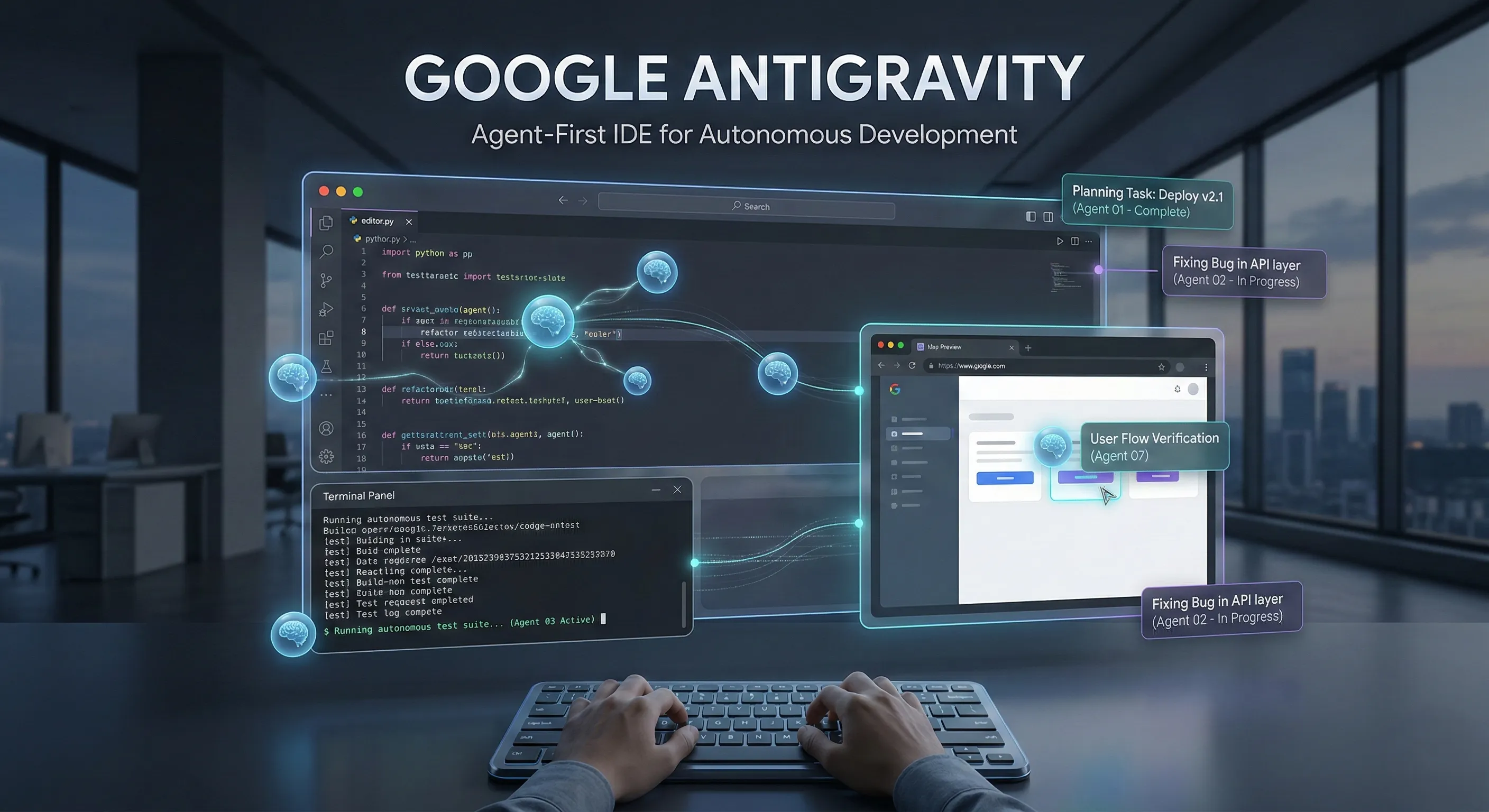
Then Google dropped Antigravity, and I'll be honest — the first time I watched it work, I sat there with a genuinely stupid expression on my face. Because this isn't autocomplete. This isn't "let me suggest what you might type next." This is an AI that takes a task description, breaks it into subtasks, assigns those subtasks to autonomous agents, and then those agents go off and actually do the work — writing code in your editor, running commands in your terminal, opening a browser to verify the output, fixing bugs they find along the way — all while you sit there and watch.
That's not an incremental improvement over existing tools. That's a fundamentally different approach to software development. And after spending serious time with it, I have thoughts. Lots of them.
What Is Google Antigravity? The Concept That Changes Everything
Google Antigravity is what Google calls an "agent-first IDE." Let's unpack what that actually means, because the terminology matters.
A traditional IDE — Visual Studio Code, IntelliJ, PyCharm — is a tool you use to write code. You open files, you type, you run things, you debug. The IDE provides the environment; you provide the intelligence. AI coding assistants like Copilot added a layer of suggestion on top of that, but the fundamental model didn't change. You're still in charge. The AI is your passenger, occasionally pointing at things through the window.
An "agent-first" IDE flips that relationship. In Antigravity, the AI agents aren't passengers — they're drivers. You describe what you want built, and the agents take over. One agent plans the architecture. Another writes the code. A third runs the test suite in the terminal. A fourth opens a browser and verifies the UI looks right. A fifth monitors for errors and debugging issues across the entire pipeline. They communicate with each other, resolve conflicts, and deliver working code — not code suggestions, not snippets, not "here's a starting point." Working, tested, verified code.
The IDE itself is built around this agent-first philosophy. The editor, terminal, and integrated browser aren't just tools for the developer — they're workspaces for the agents. You can watch an agent type code in the editor in real-time, see another agent running commands in the terminal window, and observe a third agent navigating a browser to check the deployed output. It's like watching a team of invisible developers working on your machine simultaneously.

How the Agent System Actually Works — Under the Hood
Based on my extensive testing and what Google has publicly shared about the architecture, here's what happens when you give Antigravity a task:
Step 1: Task Decomposition. You describe what you want in natural language. Something like "Add a dark mode toggle to the settings page that persists user preference in localStorage and updates the CSS variables across the entire app." The planning agent analyses this request and breaks it into discrete, actionable subtasks — create the toggle component, implement the localStorage logic, define the CSS variables, update the settings page layout, write tests for the toggle behaviour, verify the visual output in the browser.
Step 2: Agent Assignment. Each subtask gets assigned to a specialised agent. The code-writing agent handles the implementation. The testing agent writes and runs unit tests. The browser agent verifies the visual output. The terminal agent handles build commands and environment setup. These aren't generic agents doing everything — they're specialists, each optimised for their specific domain.
Step 3: Parallel Execution. Here's where it gets genuinely impressive. The agents work simultaneously. While one agent is writing the React component in the editor, another is already setting up the test file. A third is modifying the CSS variables file. They coordinate through an internal messaging system — if the code agent changes a function signature, the testing agent immediately updates its test cases to match. It's concurrent development with automatic synchronisation.
Step 4: Verification Loop. Once the implementation is done, the system enters a verification cycle. The testing agent runs the test suite. The browser agent loads the application and checks the UI. If anything fails — a test doesn't pass, the UI doesn't render correctly, a console error appears — the debugging agent identifies the issue, traces it back to the responsible code, and the code agent fixes it. This loop continues until all tests pass and the browser verification succeeds. You get notified when everything is done.
Step 5: Human Review. The agents don't push code to production without your approval. Once they're done, you review the changes — a diff view shows exactly what was written, modified, or deleted. You can accept everything, reject specific changes, or ask the agents to adjust their approach. This human-in-the-loop checkpoint is critical — it means the agents do the heavy lifting, but you retain final authority.
I Tested It on Real Projects — Here's What Happened
Reading about features is one thing. Watching agents work on your actual codebase is another experience entirely. I ran several tests across different project types to see how Antigravity performs in practice.
Test 1: Building a REST API from Scratch
I asked Antigravity to "Build a REST API in Node.js with Express for a simple blog system — posts with CRUD operations, user authentication with JWT, input validation, error handling, and unit tests." The planning agent broke this into seven subtasks. Within about four minutes, I had a fully functional API with twelve endpoints, JWT authentication middleware, Joi validation schemas, centralised error handling, and thirty-two unit tests — all passing. The code was clean, well-structured, and followed standard Express patterns. I would have taken two to three hours to write this manually. Four minutes.
Test 2: Debugging a Complex Frontend Issue
I pointed Antigravity at an existing React project that had a persistent state management bug — a race condition where two components were updating the same Redux slice simultaneously, causing intermittent UI glitches. I described the symptoms: "The dashboard widget occasionally shows stale data after the user updates their profile. It only happens when both the dashboard and profile pages are loaded." The debugging agent traced the issue through the component tree, identified the conflicting dispatches, and the code agent implemented a fix using Redux Toolkit's createAsyncThunk with proper sequential dispatching. The browser agent verified the fix by simulating the exact user flow that triggered the bug. Total time: about ninety seconds.
Test 3: Full-Stack Feature Addition
This was the big one. I asked Antigravity to add a complete commenting system to an existing blog application — backend API endpoints, database schema changes, frontend React components, real-time updates with WebSockets, and full test coverage. This involved coordinating changes across backend (Python/Django), frontend (React/TypeScript), and database (PostgreSQL migrations). The agents worked for about twelve minutes. The result was a fully working commenting system with nested replies, real-time updates, optimistic UI rendering, proper error handling, and forty-seven tests covering both frontend and backend. The most impressive part was watching the agents coordinate across the full stack — the backend agent and frontend agent were essentially pair programming, with the backend agent informing the frontend agent about API response shapes in real-time.
Test 4: Deploying to Production
I asked Antigravity to "Set up a CI/CD pipeline using GitHub Actions for this project — run tests on every PR, build the Docker image, push to Google Cloud Artifact Registry, and deploy to Cloud Run." The terminal agent handled the entire process — creating the workflow YAML files, configuring Docker, setting up the deployment commands, and even testing the pipeline with a dry run. It created three separate workflow files (test, build, deploy), a Dockerfile with multi-stage builds, and documented everything with inline comments. The only thing I had to do manually was enter my Google Cloud credentials. Everything else was handled autonomously.
What Makes Antigravity Genuinely Different from Other AI Coding Tools
I keep emphasising this because it's the most important point: Antigravity is not an evolution of Copilot. It's a different category of tool entirely. Here's why the distinction matters:
Copilot/Cursor/Codeium Model: You write code → AI suggests the next line or block → You accept, reject, or modify → You continue writing → AI suggests again. The human drives, the AI assists. The bottleneck is still human typing speed and human decision-making speed.
Antigravity Model: You describe the task → Multiple AI agents independently plan, write, test, and verify → Agents coordinate with each other automatically → You review the finished result. The AI drives, the human supervises. The bottleneck shifts from implementation speed to review speed.
That shift is transformational. A senior developer's most valuable skills aren't typing speed — they're architectural thinking, code review, quality judgement, and understanding user needs. Antigravity lets developers spend their time on exactly those high-value activities while the agents handle the implementation grind.
Antigravity vs. Cursor: Cursor is the closest competitor in the "AI-enhanced IDE" space. It's excellent — the best AI coding assistant I'd used before Antigravity. But Cursor is still fundamentally an assistant. You chat with it, it suggests code, you decide what to keep. Antigravity's multi-agent autonomous execution goes significantly further. Cursor is like having a brilliant colleague who answers questions and writes code when you ask. Antigravity is like having a team of developers who take your specifications and come back with a pull request.
Antigravity vs. Devin (Cognition): Devin is the other "autonomous coding agent" that made headlines. The comparison is closer here — both aim for autonomous code execution. But Devin operates more like a black box — it takes a task and works in the background. Antigravity's key advantage is transparency. You watch everything happen in real-time across the editor, terminal, and browser. You can intervene, redirect, or stop agents at any point. The visibility into what the agents are doing and why gives you confidence that that the output is correct — something that matters enormously in professional software development where you're ultimately responsible for the code that ships.
The Interface — Designed for Agent Collaboration
The Antigravity IDE interface is clearly built from the ground up for the agent-first paradigm. It's not VS Code with agents bolted on. The layout has three primary zones — the code editor on the left, the terminal panel at the bottom, and a browser preview on the right. Each zone is both a developer workspace and an agent workspace.
The most striking visual element is the agent status panel. It shows all active agents, their current tasks, and their status (planning, writing, testing, waiting, complete). You can click into any agent to see exactly what it's doing in real-time — which file it's editing, which command it's running, what it's checking in the browser. The transparency is remarkable. There's no magic black box — every agent action is visible and auditable.
The diff review system is excellent too. When agents complete a task, you get a comprehensive diff view showing every change, with the agent's reasoning annotated alongside each modification. It's like getting a pull request with inline comments explaining every decision. This makes code review fast and meaningful — you're not just scanning code, you're understanding the intent behind each change.
Keyboard shortcuts are well-designed for the agent workflow. You can quickly pause all agents, redirect a specific agent, accept or reject individual changes, and toggle between watching different agents. The IDE clearly went through serious UX testing with real developers — the workflow feels natural, not forced.
Who Benefits Most from Google Antigravity?
After extensive testing, here's my honest assessment of who gets the most value from this tool:
- Senior Developers and Tech Leads: If your day involves architectural decisions, code reviews, and mentoring more than raw coding, Antigravity is perfect. Let the agents handle implementation while you focus on design, quality, and strategy. Your expertise is amplified, not replaced.
- Startup Founders and Solo Developers: When you're a one-person engineering team wearing every hat, Antigravity is like hiring a development team you don't have to pay salaries to. The ability to describe a feature and get a working implementation in minutes instead of days changes what a solo developer can realistically build.
- Full-Stack Developers: The cross-stack coordination is where Antigravity really shines. Changes that span backend, frontend, and database — which normally involve constant context-switching — are handled seamlessly by agents that specialise in each layer but communicate automatically.
- Students Learning to Code: Watching the agents work is genuinely educational. You see how experienced code gets structured, how tests are written, how debugging is approached systematically. It's like pair programming with a senior developer who never gets impatient and is always willing to show their work.
- DevOps and Platform Engineers: The terminal agent's ability to handle infrastructure tasks — CI/CD pipelines, Docker configurations, deployment scripts, cloud resource setup — frees platform engineers from repetitive configuration work so they can focus on architecture and reliability.

Limitations and Honest Criticisms
No tool is perfect, and I'd rather be transparent about where Antigravity falls short than pretend it's flawless:
- Complex Architectural Decisions Still Need Humans: The agents are excellent at implementing well-defined tasks. They struggle with ambiguous, open-ended architectural problems where the "right" answer depends on business context, team conventions, or future requirements that aren't captured in code. When I asked Antigravity to "redesign the data layer for better scalability," the result was technically competent but lacked the strategic thinking a senior architect would bring — considering team expertise, migration costs, and long-term maintenance implications.
- Learning Curve for Effective Prompting: Getting the best results requires learning how to describe tasks at the right level of detail. Too vague ("make the app faster") and the agents make scattered, superficial changes. Too specific ("add a cache with exactly 60-second TTL on this specific endpoint") and you lose the benefit of autonomous planning. Finding the sweet spot takes practice.
- Resource Intensive: Running multiple AI agents simultaneously requires serious computational resources. The IDE is noticeably heavier than VS Code — longer startup times, higher memory usage, and occasional sluggishness on machines with less than 16GB RAM. If you're working on an older laptop, the experience degrades.
- Agent Coordination Occasionally Breaks: In about 10% of my tests, agents produced conflicting changes — one agent modified a function signature while another was still using the old signature. The system usually catches and resolves these conflicts automatically, but occasionally it gets stuck in a retry loop. Killing and restarting the task always resolved the issue, but it's a friction point that shouldn't exist in a polished product.
- Limited Offline Capability: Antigravity is cloud-powered — the agents run on Google's infrastructure. No internet means no agents. The editor itself works offline, but without the agents, it's a fairly basic code editor. For developers who work in environments with unreliable connectivity, this is a real limitation.
- Early Access Means Rough Edges: The product is still in early access. Extension ecosystem is thin, plugin support is limited, and some language-specific features (like advanced Rust borrow-checker awareness) aren't as mature as dedicated IDEs for those languages. Google is clearly iterating fast, but it's worth setting expectations that this isn't a finished product yet.
Tips for Getting the Best Results from Antigravity
After weeks of daily use, these practices consistently produce the best outcomes:
- Describe Intent, Not Implementation: Instead of "create a function called validateEmail that uses a regex," say "add email validation to the signup form that catches common typos and shows a helpful error message." Let the agents decide the best implementation. They often choose better approaches than what you'd specify manually.
- Break Massive Tasks into Phases: If you're building something large, don't dump the entire specification at once. Break it into logical phases: "Phase 1: Set up the database schema and models. Phase 2: Build the API endpoints. Phase 3: Create the frontend components." The agents work best with clear, bounded scope.
- Review Agent Reasoning, Not Just Code: The annotated diffs show why agents made specific decisions. Reading the reasoning helps you catch logical errors that might look correct in code but are based on misunderstanding your intent. This is far more efficient than reviewing code changes in isolation.
- Use the Pause and Redirect Features: If you see an agent going in the wrong direction, pause it immediately and provide a correction. The earlier you intervene, the less work gets wasted. The real-time visibility exists specifically for this purpose — use it.
- Keep Your Codebase Well-Documented: Agents perform significantly better when your existing code has clear comments, meaningful variable names, and documented architectural decisions. They read your codebase to understand context and conventions. Better documentation means better agent output.
- Start with the Test Suite: I found that asking agents to "write tests for X behaviour first, then implement the code to pass those tests" produces more reliable results than asking for implementation first. Test-driven development works spectacularly well with autonomous agents because the tests provide clear, unambiguous success criteria.
The Bigger Picture — What Agent-First Development Means for the Industry
Google Antigravity isn't just a new IDE. It's a signal of where software development is heading. The shift from "AI-assisted coding" to "AI-autonomous coding with human oversight" is the most significant paradigm change in developer tools since the move from text editors to IDEs in the first place.
Think about the implications. A junior developer with Antigravity can handle tasks that previously required senior-level experience — not because they suddenly gained years of knowledge, but because the agents encode that knowledge and apply it automatically. A senior developer can oversee the output of multiple agent teams simultaneously, effectively multiplying their impact by five or ten times. A startup with three engineers can ship features at the pace of a twenty-person team.
This doesn't mean developers become irrelevant. It means what we mean by "developer" evolves. The job shifts from writing code to directing, reviewing, and refining AI-generated code. The skills that matter shift from "can you write a binary search from scratch?" to "can you evaluate whether this architecture will scale?" and "can you identify where this agent's approach conflicts with the business requirements?" The thinking becomes more important than the typing — which, honestly, is how it always should have been.
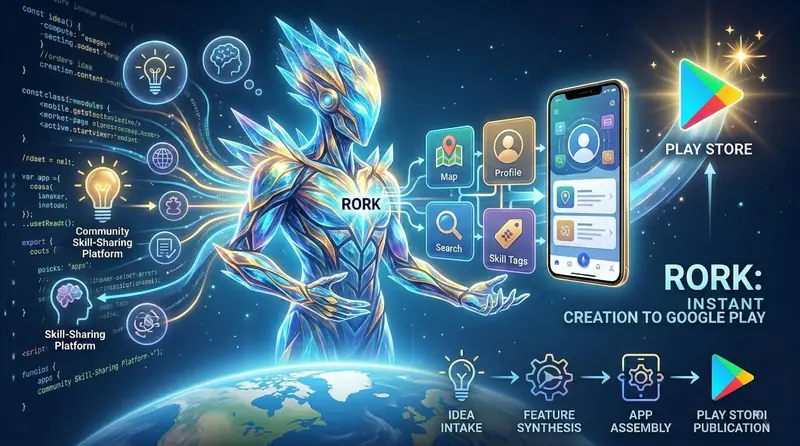
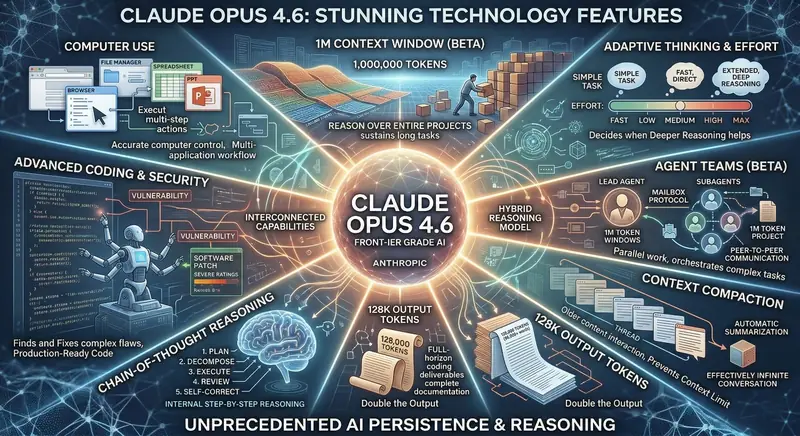
We're seeing this same pattern across the entire tech tool landscape. Rork builds mobile apps from prompts, Rytr generates content autonomously, Skywork creates SEO articles, and now Antigravity writes, tests, and deploys code through autonomous agents. The common thread is clear: AI is moving from assistance to execution, from suggesting to doing, from copilot to pilot. And the humans who thrive in this landscape are the ones who learn to direct these tools effectively rather than competing with them on implementation speed.
Final Verdict — Is Google Antigravity Worth It?
After weeks of hands-on testing across real projects in multiple languages and frameworks, here's my honest assessment:
Google Antigravity is the most impressive developer tool I've used this decade. The agent-first approach isn't just a feature — it's a fundamental rethinking of how software gets built. Watching multiple AI agents coordinate autonomously across editor, terminal, and browser to produce tested, verified, deployment-ready code is genuinely transformational. It's not perfect, it's not a replacement for human developers, and it's still in early access with rough edges. But the core concept works, and it works remarkably well.
The transparency of the agent system is what earns my trust. You see everything. Every decision, every line written, every test run, every debugging step. There's no black box. When I accept agent output, I accept it because I watched it being created, reviewed the reasoning, and verified the tests pass — not because I'm blindly trusting the AI.
Is it ready to be your only IDE? Not yet. The early-access limitations, the resource requirements, and the occasional agent coordination hiccups mean you'll still want VS Code or your IDE of choice as a fallback. But as a primary development tool for greenfield features, bug fixes, test writing, and DevOps tasks, Antigravity is already remarkably capable.
"The best developers won't be the ones who write the most code. They'll be the ones who direct AI agents to write the right code. Google Antigravity is the first tool that makes that future feel real."
Sign up for early access at antigravity.google and see it for yourself. Even if you're sceptical about the hype — and healthy scepticism is good — spend thirty minutes watching the agents work on your codebase. The moment an agent simultaneously fixes a bug, updates the tests, and verifies the browser output while you sip your coffee is the moment you understand that something genuinely shifted in how we build software.