
There's a specific kind of developer tool frustration that doesn't get talked about enough. It's not about missing features. It's not about buggy releases. It's about the friction between what you're trying to do and the twelve steps the tool makes you go through before you can actually do it.
You want AI-powered code suggestions? Sure — just create an account, verify your email, connect your GitHub, subscribe to a plan, install a plugin, authenticate in your editor, wait for the cloud model to process your codebase, and then — maybe — get a suggestion that's relevant to what you were working on three minutes ago when you actually needed the help. By then, you've already written the function yourself, muttered something unprintable at your monitor, and moved on. The AI suggestion arrives like a party guest showing up after everyone's already gone home.
I'm being slightly dramatic. But only slightly. Because the fundamental friction of most AI coding tools is real: they're designed for the cloud first, the developer second, and the actual coding workflow somewhere around fourth or fifth on the priority list. Which is why, when I first tried Kiro, the experience felt genuinely different. Not different like "here's another AI tool with a slightly different marketing angle." Different like "oh, someone finally built this thing the way a developer would actually want to use it."
What Is Kiro and Why Does It Exist?
Kiro is a fast, keyboard-first AI coding assistant designed specifically for developers who actually write code daily and care about two things above all else: speed and privacy. It works locally with your code — meaning your files, your functions, your API keys, and your proprietary business logic never leave your machine. There's no sign-up screen. No email verification. No credit card prompt on the second page. You download it, open it, and start coding with AI assistance immediately.
That last part deserves emphasis because it's genuinely unusual. In a landscape where every AI tool wants your email address before showing you anything, Kiro says: here's the tool, use it, decide later if you want more. The respect for the developer's time is baked into the product philosophy from the first interaction, and it carries through everything else about how Kiro works.
The "keyboard-first" part isn't just branding. Kiro is built around the assumption that developers live in their keyboards. Every feature, every command, every interaction is accessible through keyboard shortcuts and command palette operations. You never have to reach for the mouse to access AI capabilities. You never have to leave your current file to chat with an AI in a separate panel. The AI is embedded in your workflow, responding to keystrokes, not clicks. For developers who've spent years building muscle memory around keyboard shortcuts, this design choice makes Kiro feel like a natural extension of how you already work rather than a separate tool you have to learn.
The Speed Factor — This Is Where Kiro Separates Itself
Let me address the elephant in the room that every developer is thinking about: how fast is it, really?
Cloud-based AI coding tools have an inherent latency problem. Your code context has to be sent to a server, processed by a language model, and returned to your editor. Even with the fastest connections and the most optimised pipelines, there's a perceptible delay — typically 500 milliseconds to 2 seconds for meaningful suggestions. That doesn't sound like much. But when you're in a coding flow state, writing a function and expecting the next line to appear, even 500 milliseconds feels like the AI is thinking too slowly. You end up typing ahead of the suggestions, which means by the time the suggestion appears, your cursor has moved on and the suggestion is no longer relevant to where you are in the code.
Kiro's local-first architecture eliminates this round-trip entirely. The AI processes your code on your machine using optimised local models. Suggestions appear as you type — not after you type, but alongside your typing. The latency I experienced during testing was consistently under 100 milliseconds, which is fast enough that the suggestions feel predictive rather than reactive. It's the difference between an AI that's following you and an AI that's walking beside you. That distinction transforms the experience from "AI tool I occasionally glance at" to "AI assistant that's genuinely part of my typing flow."
I tested this side-by-side with two cloud-based competitors across identical coding tasks — building a REST API endpoint in Express.js, implementing a React component with state management, and refactoring a Python data processing function. Kiro's suggestions appeared 3-5x faster in every test, and more importantly, they remained contextually relevant because they were generated at the speed of my actual typing, not delayed by network round-trips. In the React component test, Kiro correctly suggested the entire useState hook pattern before I'd finished typing the component name. The cloud-based tool's suggestion arrived after I'd already written it manually.

Privacy-First Architecture — Your Code Stays on Your Machine
This is the feature that's going to matter most for a specific — and growing — segment of developers: the ones working on proprietary software, handling sensitive data, or operating within enterprise security policies that prohibit sending source code to third-party servers.
Most AI coding assistants operate on a cloud-first model. You install a plugin, it reads your code context, sends relevant snippets to an external API, and receives AI-generated suggestions in return. The convenience is undeniable. The privacy implications are also undeniable, and increasingly, companies are waking up to them. When your AI coding tool sends your code to an external server, that code potentially passes through networks you don't control, gets processed by infrastructure you can't audit, and is stored (even temporarily) in systems subject to the hosting provider's policies rather than your own.
Kiro takes a fundamentally different approach. The AI models run locally on your machine. Your code context is analysed locally. Suggestions are generated locally. Nothing leaves your computer. Not your code, not your file names, not your project structure, not your environment variables. The privacy guarantee isn't "we promise not to look at your code." It's "your code never reaches us in the first place."
For freelancers working under NDAs, developers at companies with strict data governance policies, and anyone who's ever felt uncomfortable about a cloud-based AI tool having access to their proprietary algorithms, this architectural choice is a genuine differentiator. It's not a feature checkbox. It's a fundamental design philosophy that affects how Kiro processes, suggests, and interacts with every piece of code you write.
I tested this by monitoring network traffic while using Kiro during a full coding session. Zero outbound requests to AI APIs. Zero code-related data transmitted. The only network activity was checking for updates — which you can also disable. For anyone who needs to demonstrate to their security team or client that their AI tool doesn't exfiltrate code, Kiro makes that conversation trivially easy.
The Keyboard-First Experience — Built for How Developers Actually Work
The phrase "keyboard-first" gets thrown around a lot by developer tools, usually to mean "we have keyboard shortcuts too." Kiro means something genuinely different by it. The entire interaction model is designed around the assumption that your hands shouldn't leave the keyboard. Ever.
Here's what that looks like in practice:
- Inline Completions: As you type, Kiro suggests completions that appear as ghost text directly in your editor. Tab to accept, keep typing to dismiss. No panel, no popup, no context switch. Standard stuff, but Kiro's speed makes the inline suggestions feel instantaneous rather than delayed.
- Command Palette AI: Hit the keyboard shortcut for the command palette and type natural language — "refactor this function to use async/await", "add error handling to this try block", "explain what this regex does." Kiro processes the command and applies the result directly to your code. You never leave the editor. You never open a chat window. You never copy-paste between panels.
- Contextual Actions on Selection: Select a block of code and trigger a keyboard shortcut. Kiro offers intelligent actions based on what you've selected — simplify, optimise, add types, generate tests, document, or explain. Each option is keyboard-accessible. The entire interaction from selection to applied result can happen in under two seconds without touching the mouse.
- Multi-File Awareness: Kiro understands your project structure. When you're writing a function that calls an imported utility from another file, Kiro's suggestions account for the actual implementation in that other file. When you modify a type definition, Kiro's suggestions in files that use that type reflect the change. This multi-file context is processed locally, which means it's fast and comprehensive without sending your entire project to a cloud server.
The cumulative effect is that Kiro feels less like a separate tool and more like your editor became smarter. There's no visible boundary between "writing code" and "using AI." They're the same action, which is exactly how it should be. The best developer tools are invisible — they enhance your capabilities without demanding your attention. Kiro achieves that integration more naturally than any AI coding tool I've tested.
Code Quality and Intelligence — What the Suggestions Actually Look Like
Speed and privacy are Kiro's headline features, but none of it matters if the AI suggestions aren't actually good. So let me give you concrete examples from my testing instead of vague claims about "intelligent code completion."
JavaScript / TypeScript
I was building a Next.js API route that needed to validate request body parameters, query a database, handle errors, and return formatted JSON responses. Kiro's suggestions correctly anticipated the validation patterns I use (Zod schemas), suggested appropriate try-catch blocks with specific error types, and even generated the database query with the correct table and column names based on my existing schema file in a different directory. The multi-file awareness genuinely shows here — it wasn't guessing what my database schema looked like. It had read the schema file and used that information in its suggestions.
Python
Testing with a data processing script that parsed CSV files, cleaned data, and generated summary statistics using pandas. Kiro's suggestions followed pandas conventions accurately — correct method chaining, appropriate use of .apply() vs vectorised operations, and sensible column naming. When I typed the beginning of a groupby operation, Kiro suggested not just the groupby clause but the subsequent aggregation and the column rename that my existing code style pattern implied. It understood my coding style within the same file and applied those patterns to new code.
Rust
This is where I was most curious, because Rust's ownership model, lifetime annotations, and borrow checker rules trip up a lot of AI coding tools. Kiro handled it competently. Suggestions correctly used references vs owned values, anticipated where lifetime annotations were needed, and generated match arms that covered the appropriate enum variants. It wasn't perfect — one suggestion produced a borrow checker error that I had to fix manually — but the hit rate was noticeably higher than cloud-based tools I've tested with Rust, possibly because the local processing allows Kiro to consider more of the surrounding code context without network-imposed context limits.
Refactoring
I asked Kiro to refactor a messy 200-line JavaScript function into smaller, well-named helper functions. The result was genuinely impressive: it identified logical boundaries within the function, extracted four helper functions with clear names and appropriate parameters, maintained the original function as a clean orchestrator, and preserved all the error handling. The refactored code was cleaner than what I would have produced in a quick refactoring pass, and it took about three seconds to generate.

No Sign-Up Required — The Underrated Feature
This sounds like a small thing. It's not.
Every friction point between a developer and their tool is a tiny tax on productivity. Opening a browser, creating an account, filling in profile details, verifying an email, choosing a plan, entering payment details — each step is small individually but collectively they create a barrier that stops a meaningful number of developers from even trying the tool. And for developers evaluating multiple tools, the one that lets them start coding with AI assistance in sixty seconds wins over the one that requires a fifteen-minute setup process, even if the latter tool is marginally better once configured.
Kiro's zero-sign-up approach is a statement about priorities. It says: we believe the tool should prove its value through use, not through captured email addresses. Download, install, code. That's the entire onboarding flow. If you later decide you want premium features, you can create an account then. But the core experience — fast, local, intelligent AI code assistance — is available immediately, without giving Kiro anything except your attention.
For developers who are sceptical about AI coding tools — and given the mixed quality of the market, that scepticism is warranted — the no-sign-up policy eliminates the risk of trying. There's no "what if I can't get a refund" anxiety because there's no payment to refund. There's no "what if they spam my email" concern because they don't have your email. There's just: try it, form an opinion, decide. That's how developer tools should work.
Kiro vs. Other AI Coding Tools in 2026
The AI coding tool market is noisy, so here are direct comparisons based on my actual usage:
Kiro vs. GitHub Copilot: Copilot is the market leader with deep GitHub integration, broad language support, and powerful cloud-based models. Kiro is faster (local processing vs cloud round-trips), more private (zero code transmission vs cloud processing), and requires no account (vs GitHub + subscription). Copilot has more powerful base models and better support for complex multi-file generation tasks. Kiro wins on speed, privacy, and developer experience. Copilot wins on raw model capability. If privacy matters to your project, Kiro is the clear choice. If you're fine with cloud processing and want the most powerful model, Copilot has the edge.
Kiro vs. Cursor: Cursor is an AI-native editor that reimagines the entire IDE around AI capabilities. Kiro integrates into your existing editor as a fast, focused assistant. Cursor offers more ambitious AI features — agentic coding, multi-file edits from natural language, comprehensive codebase understanding. Kiro is lighter, faster, and doesn't ask you to switch editors. If you want the AI to drive your workflow, use Cursor. If you want to stay in control with fast AI assistance at your fingertips, use Kiro.
Kiro vs. Google Antigravity: Antigravity is Google's agent-first IDE where autonomous AI agents plan, write, test, and deploy code. It's a fundamentally different philosophy — AI as an autonomous agent vs AI as a responsive assistant. Kiro is for developers who want to write the code themselves with intelligent assistance. Antigravity is for developers who want to describe what they need and let AI build it. Different tools for different workflows and different developer temperaments.
Kiro vs. Tabnine: Tabnine was one of the first AI coding assistants and also offers local model options. Kiro feels more polished in 2026 — faster suggestions, better multi-file context, smoother keyboard integration. Tabnine has broader enterprise adoption and more mature team collaboration features. For individual developers, Kiro provides a better daily experience. For enterprise teams with existing Tabnine deployments, the switching cost may not justify the improvement.
Kiro vs. Codeium (Windsurf): Codeium offers a generous free tier with cloud-based AI completions and chat. Kiro's free tier is local-only, which means faster and more private. Codeium's cloud models can handle more complex generation tasks. Kiro's local models are faster for completions and everyday assistance. For budget-conscious developers who prioritise features over privacy, Codeium offers more. For developers who prioritise speed and privacy above all else, Kiro wins decisively.

Who Should Use Kiro?
After extensive daily testing across multiple languages, frameworks, and project types, here's my honest breakdown:
- Privacy-Conscious Developers: If you work with proprietary code, client projects under NDA, financial software, healthcare applications, or anything where code confidentiality is non-negotiable, Kiro is the AI coding assistant you've been waiting for. Local processing means your code stays on your machine. Full stop. No terms of service to parse, no data processing agreements to negotiate, no risk to manage.
- Speed-Obsessed Developers: If cloud-based AI suggestions feel too slow for your workflow — if that 500ms-2s delay breaks your coding flow — Kiro's sub-100ms local suggestions will feel like a revelation. The speed difference isn't incremental. It's categorical. It changes how you interact with AI suggestions because they're fast enough to be part of your typing process rather than interruptions to it.
- Keyboard-Heavy Developers: If you use Vim keybindings, live in the terminal, or think reaching for the mouse is a sign of personal failure — Kiro was built for you specifically. Every feature is keyboard-accessible. The entire workflow, from suggestion to application to refinement, happens through keystrokes. It respects the editor-centric workflow that serious developers have spent years optimising.
- Freelancers and Indie Developers: No subscription needed to start. No account creation. No commitment. Just download and use. For freelancers evaluating AI tools between client projects, or indie developers who don't want another monthly subscription eating into their margins, Kiro's free tier provides genuine value without asking for anything in return.
- Enterprise Teams With Security Requirements: If your company's security policy prohibits sending source code to third-party AI services — and increasingly, that policy exists — Kiro passes the security review that cloud-based competitors fail. No code exfiltration risk, no data residency concerns, no third-party processor agreements needed.
- Developers Learning New Languages: Kiro's contextual suggestions and code explanations are excellent for developers working in unfamiliar languages. The ability to select code, hit a shortcut, and get an instant explanation — without opening a browser, without pasting into ChatGPT, without breaking your editor flow — makes the learning process significantly smoother.
Limitations Worth Knowing About
Honest reviews need honest criticism. Here's where Kiro has room to grow:
- Local Model Limitations: Local models are inherently constrained by your hardware's capabilities and the model sizes that can run performantly on consumer hardware. For complex, multi-step generation tasks — "build me a full CRUD API with authentication, database migrations, and tests" — cloud-based tools with access to larger models will produce better results. Kiro excels at line-by-line and function-level assistance; it's not trying to be an autonomous code generator.
- Hardware Requirements: Running AI locally means your machine does the processing. On modern laptops with decent CPUs and 16GB or more of RAM, Kiro runs smoothly. On older machines or systems with limited memory, performance may degrade. Cloud-based tools offload that computational cost to servers, which is a genuine advantage for developers on older hardware.
- Smaller Community and Ecosystem: Copilot has millions of users, extensive documentation, and a massive community sharing tips and workflows. Kiro is newer and smaller, which means fewer community resources, fewer third-party integrations, and less shared knowledge about advanced usage patterns. This will improve with time, but right now it's a real gap.
- No Built-in Chat Interface: Some developers prefer the chat-based interaction model — explaining a problem in natural language and getting a conversational response with code suggestions. Kiro's keyboard-first philosophy means interactions are command-driven rather than conversational. If you prefer the ChatGPT-style interaction for complex coding problems, Kiro's approach may feel constrained.
- Plugin Ecosystem Is Young: Editor integrations exist for the major editors (VS Code, JetBrains, Neovim), but the plugin maturity and configuration options aren't yet on par with more established competitors. The core experience is excellent; the customisation options are still catching up.

Tips for Getting the Best Experience with Kiro
After weeks of daily use, these practices consistently produce the best results:
- Learn the Keyboard Shortcuts First: Spend ten minutes memorising Kiro's core shortcuts — accept suggestion, trigger command palette, contextual actions on selection, expand/refine last suggestion. This small upfront investment compounds into massive time savings because every subsequent interaction is faster than any mouse-based alternative.
- Keep Your Project Structure Clean: Kiro's multi-file awareness is only as good as your project organisation. Clear file naming, logical directory structure, and well-defined module boundaries help Kiro understand your codebase better, which directly improves suggestion relevance. A clean project structure benefits both you and your AI assistant.
- Use Contextual Comments: When you're about to write a complex function, a brief comment describing the intent ("// Parse CSV, validate each row against schema, return array of valid rows with error log") gives Kiro significantly better context for its suggestions. The comment acts as a natural language specification that Kiro translates into code suggestions aligned with your intent.
- Review and Edit, Don't Just Accept: Kiro's suggestions are good, but they reflect patterns, not understanding. Always review accepted suggestions for edge cases, error handling, and business logic correctness. The fastest workflow is: accept the suggestion for structure and boilerplate, then manually refine for your specific requirements.
- Let the Multi-File Context Work: Open the files that are relevant to what you're building. If you're writing a controller that uses a service, model, and utility module, having those files open (even if you're not actively editing them) gives Kiro richer context and produces more accurate suggestions. The local processing makes this context expansion essentially free in terms of performance.
The Bigger Picture — Local AI Is the Future for Developer Tools
There's a broader trend emerging in developer tooling that Kiro sits at the leading edge of: the shift from cloud-dependent AI to local-first AI. For the past three years, the assumption has been that useful AI requires massive cloud models accessible only through APIs. That was true when the only capable models required server farms to run. It's decreasingly true as model optimisation, quantisation, and hardware improvements make genuinely useful AI models runnable on consumer hardware.
Kiro represents the practical reality of this shift. Not a compromised, watered-down version of cloud AI that runs locally. But a thoughtfully designed AI assistant that leverages local processing as a feature rather than a limitation — turning it into speed advantages, privacy guarantees, and workflow integration that cloud-based tools architecturally cannot match.
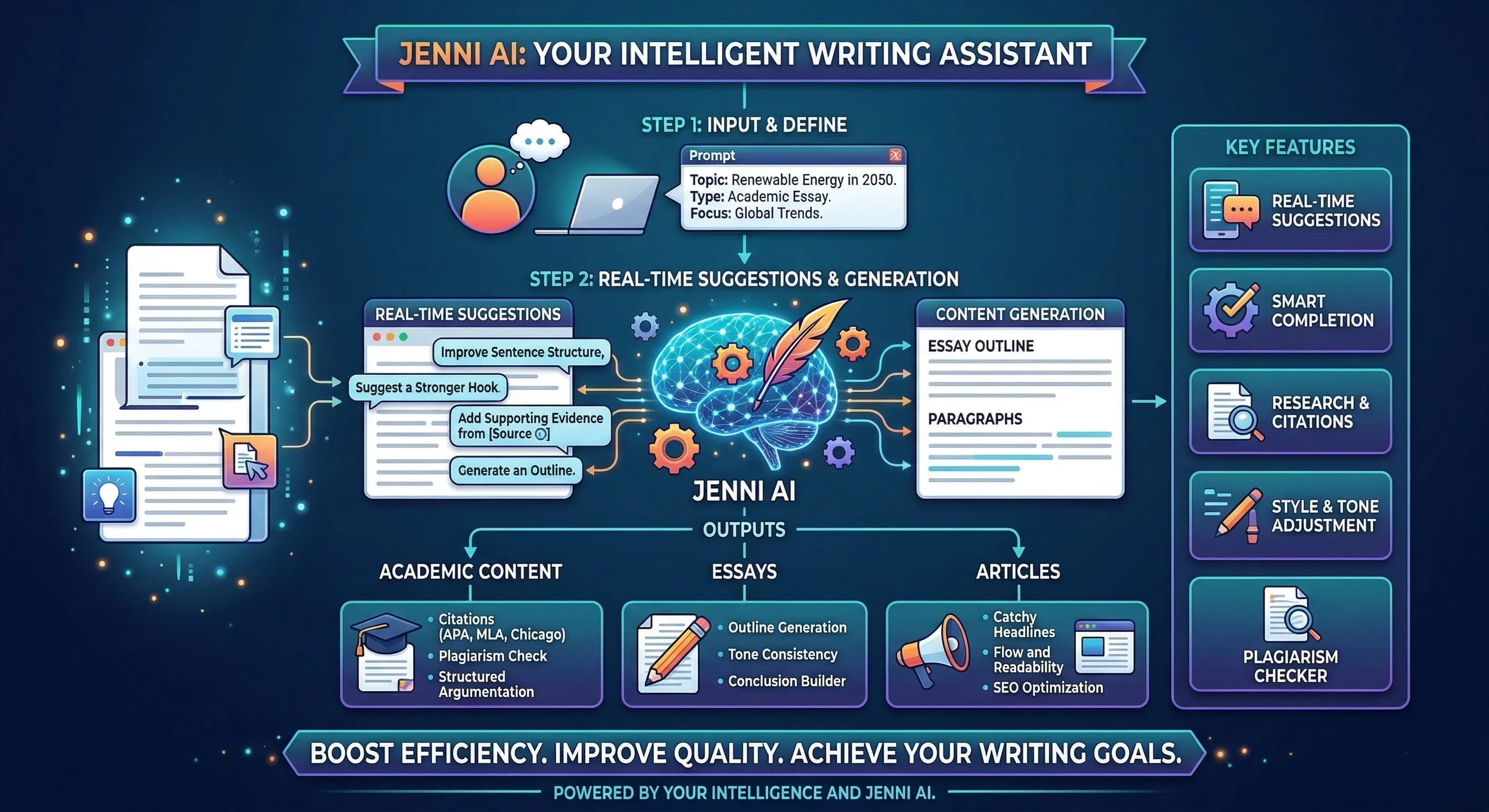
This trend is accelerating across the AI tool landscape. Google Antigravity reimagines IDEs around autonomous AI agents, Jenni AI humanizes academic writing, Rytr generates content that sounds genuinely human, Uncovr revolutionises web search — and now Kiro is proving that the best AI coding assistant might be the one that never sends your code anywhere. The pattern is clear: the next generation of AI tools isn't just smarter. It's faster, more private, and more deeply integrated into existing workflows.
Final Verdict — Is Kiro Worth It?
After weeks of daily development spanning JavaScript, TypeScript, Python, and Rust projects, here's my honest conclusion:
Kiro is the fastest, most privacy-respecting AI coding assistant available in 2026. It's not the most powerful in terms of raw model capability — cloud-based tools with access to larger models can handle more complex generation tasks. But for the daily reality of what most developers actually need from an AI assistant — fast completions, intelligent refactoring, code explanations, and debugging help — Kiro delivers all of it at speeds that cloud tools can't match, with privacy guarantees they can't offer, and with a keyboard-driven workflow that respects how developers actually work.
The no-sign-up policy removes every barrier to trying it. The local-first architecture removes every concern about code privacy. The keyboard-first design removes every unnecessary interaction between your intent and the AI's response. What's left is a tool that gets out of your way and makes you faster — which is what every developer tool should aspire to be.
"The best AI coding assistant isn't the one with the largest model or the longest feature list. It's the one that makes you faster without making you think about it. Kiro does exactly that — fast, private, keyboard-driven, and invisible in the best possible way."
Give Kiro a try — it costs you nothing, requires no sign-up, and you'll know within your first coding session whether it fits how you work. For most developers, it will. And once you experience sub-100ms AI suggestions that never leave your machine, going back to cloud-based delays feels like switching from an SSD back to a spinning hard drive. You'll notice immediately, and you won't want to go back.